
Amazon A+ Content: The Complete Guide for UK Brands
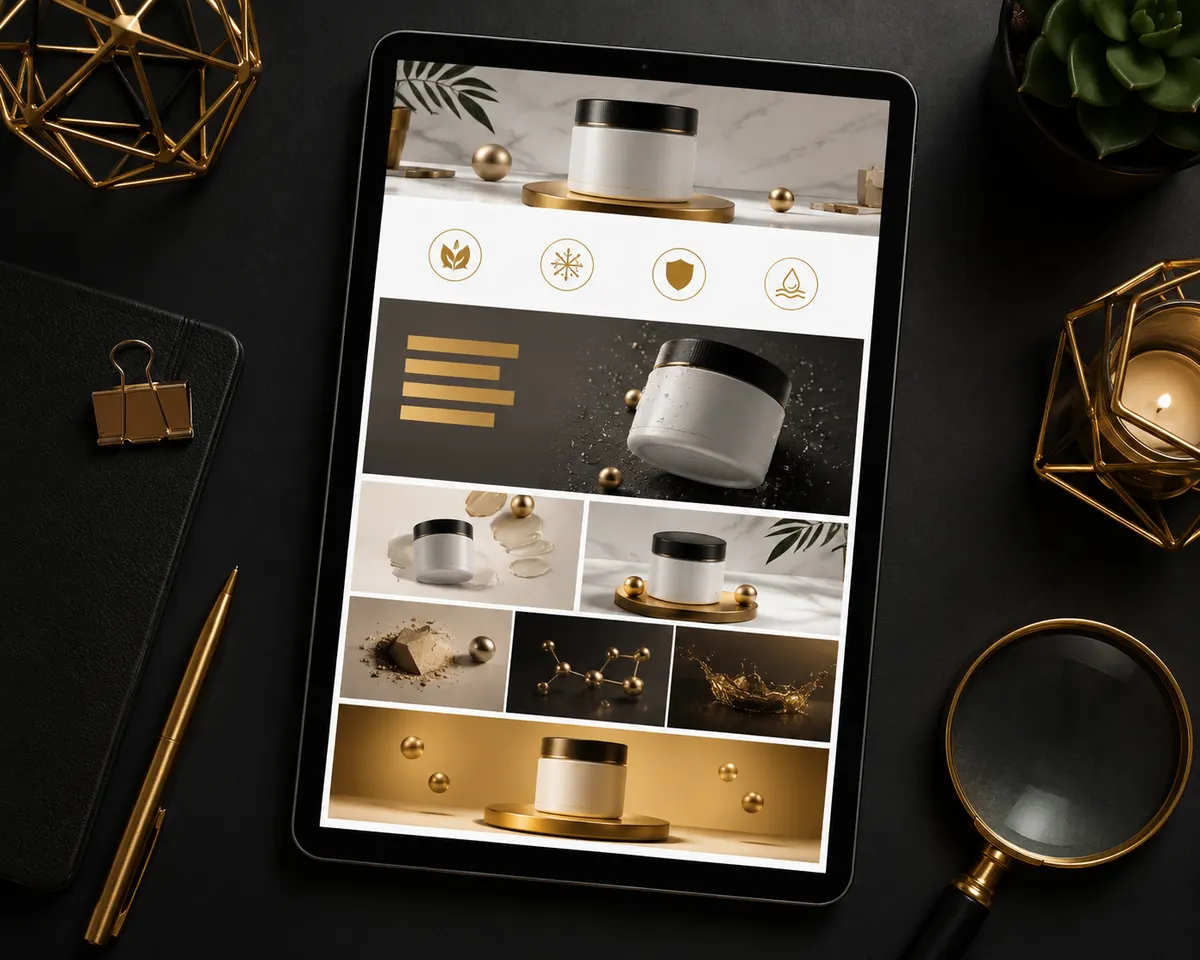
Scroll down any well-run Amazon listing and you'll hit a band of rich, branded visual content where the plain product description used to be. That's A+ Content — free for Brand Registered sellers, credited by Amazon with lifting sales meaningfully when used well, and still ignored or wasted by a surprising share of UK listings. Here's how to use it properly.
What A+ Content Is (and Who Can Use It)
A+ Content replaces the text-only product description with designed modules: banners, image-and-text combinations, comparison charts and more. It requires Amazon Brand Registry, which requires a registered (or pending) trademark. If you're not registered yet, that's the first domino — see why branding matters on Amazon for the full case.
What A+ Actually Does for Conversion
Three jobs, in order of importance:
- Answers objections. The questions that stop purchases — will it fit, will it last, is it easy to use — answered visually, where shoppers actually look.
- Builds brand trust. Consistent, professional design signals an established company, supporting premium pricing and reducing "is this legit?" hesitation.
- Cross-sells your range. Comparison modules keep shoppers inside your catalogue instead of bouncing to competitors.
A side benefit people miss: good A+ reduces returns and negative reviews by setting accurate expectations — protecting the rating that drives everything else.
The Modules Worth Using
You can stack up to seven modules. A proven structure:
- Brand banner — full-width lifestyle image with your logo and a single positioning line.
- Three or four feature tiles — one benefit each, image-led, minimal text.
- Standard comparison chart — your products side by side with checkmarks; the highest-engagement module for multi-product brands.
- Image + text alternating blocks — the story: problem, solution, proof.
- Closing lifestyle banner — the product in its happiest context.
Premium A+ (A++)
Premium A+ adds video modules, interactive hotspots, carousels and larger formats. Amazon has made it available free to brands meeting activity criteria. If you qualify, use it — video in the description area is a conversion weapon most competitors still lack. Check eligibility in Seller Central under A+ Content Manager.
Design Rules That Separate Good from Wasted
- Design for the phone. Most UK Amazon sessions are mobile; modules stack vertically and small text becomes unreadable. Big imagery, short headlines, high contrast.
- Put text in the image sparingly — but remember alt text. A+ image text isn't indexed the way listing copy is, so keep your keyword-rich copy in bullets and backend terms, and fill in image keywords/alt fields properly.
- One idea per module. Crowded modules read as noise. White space is doing work.
- Stay consistent with your brand system. A+ that matches your images, packaging and storefront multiplies trust; A+ that clashes undermines it. (This is why we design A+ alongside the image stack, to one brand guideline.)
- Follow the content rules. No pricing, no promotional language ("sale", "free shipping"), no warranties/guarantees claims, no contact details. Violations get modules rejected.
Common Mistakes
The four we see constantly: using A+ as a dumping ground for the same photos already in the image stack; paragraph-length text nobody reads; ignoring the comparison chart (the single best module); and never updating A+ after launch even as reviews reveal new objections to answer. Treat A+ like the listing itself — a living asset, revisited quarterly.
Getting It Done
Amzora designs complete A+ Content through our A+ Content Creation service — four to five modules for £150 per ASIN, built to your brand guidelines and Amazon's specs, ready to upload. Email us your ASIN and we'll tell you what your current listing is leaving on the table.
Want Experts to Handle This for You?
Amzora helps UK sellers launch, brand and scale on Amazon — with fixed, transparent pricing.
Email amzorasolutions@gmail.com